To set up a new Youtube APP or in case if you have a following error:
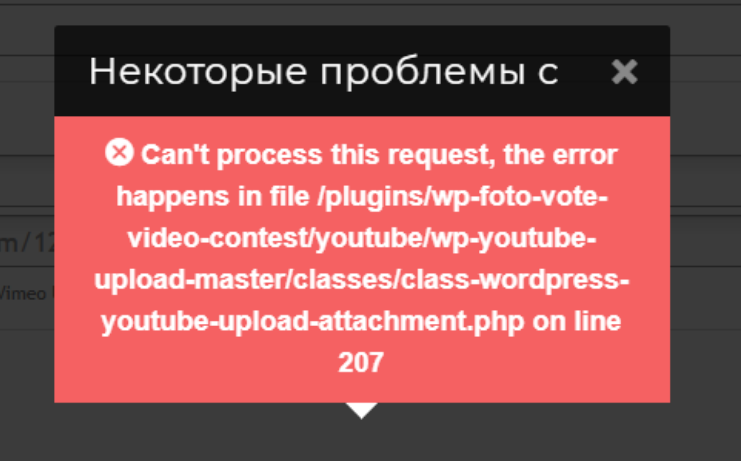 and in the log saw the following:
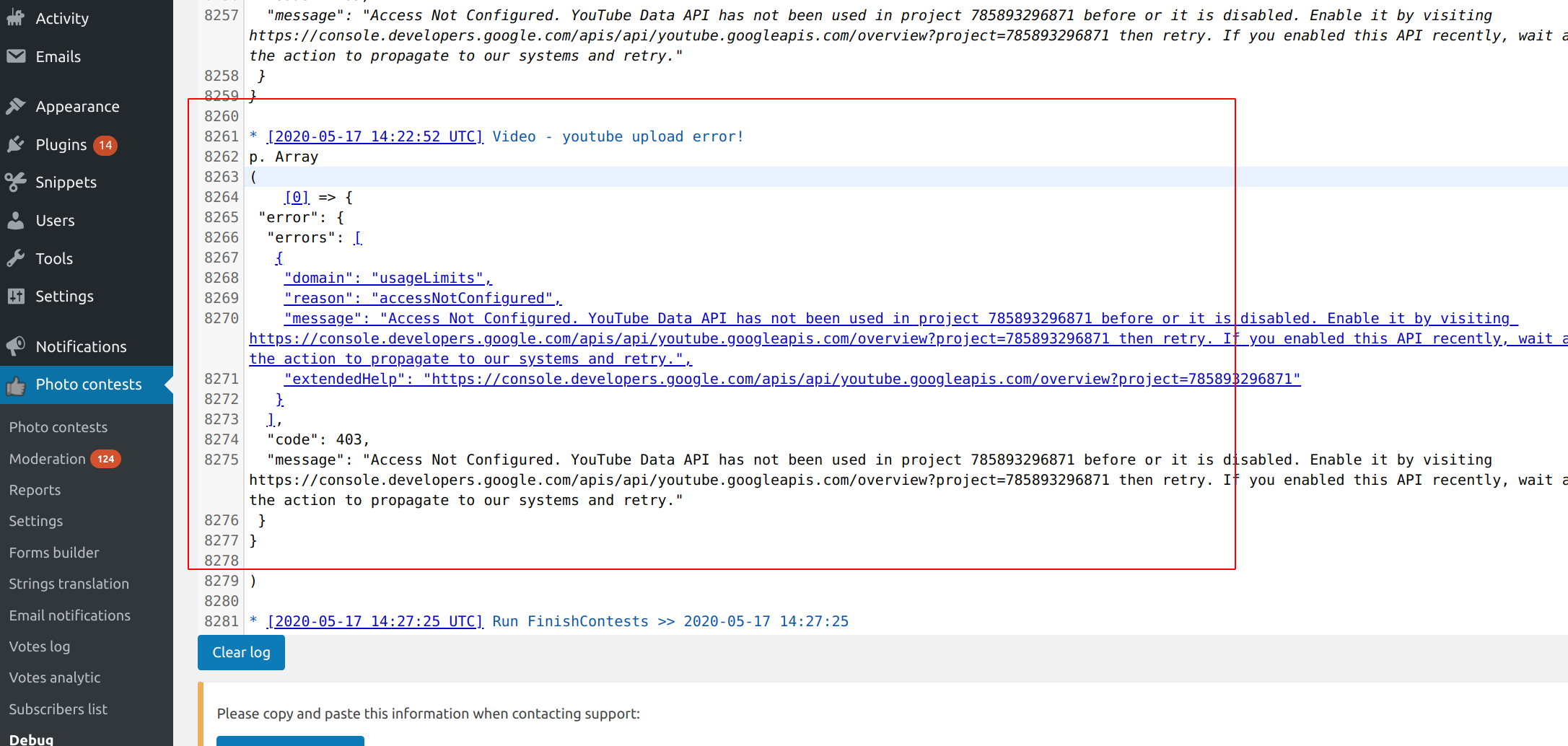 Then need to create new app.
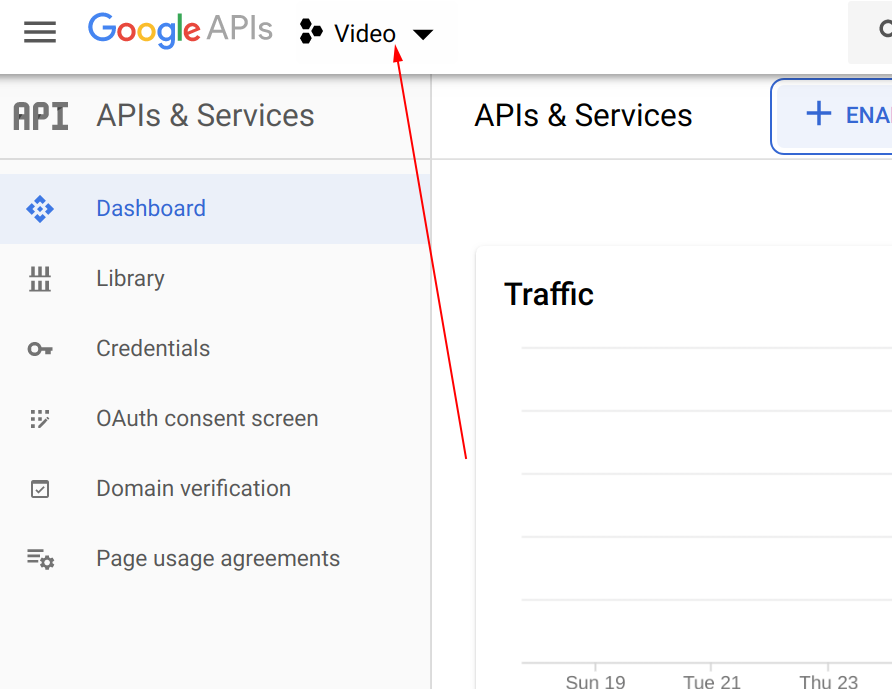
1. Open the https://console.developers.google.com/apis/dashboard
2. Add new project
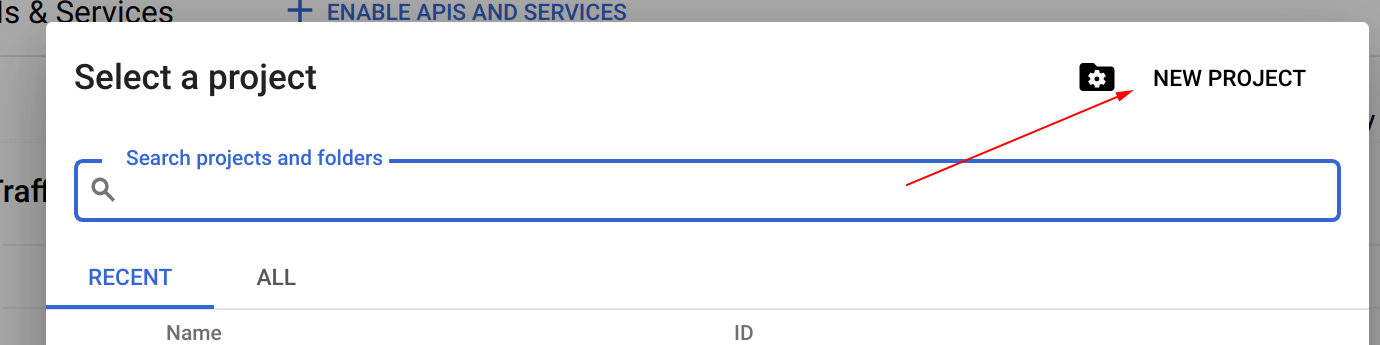 3. Activate Youtube
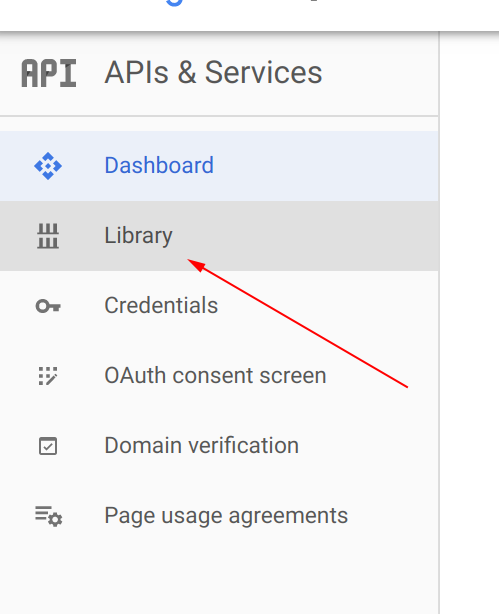
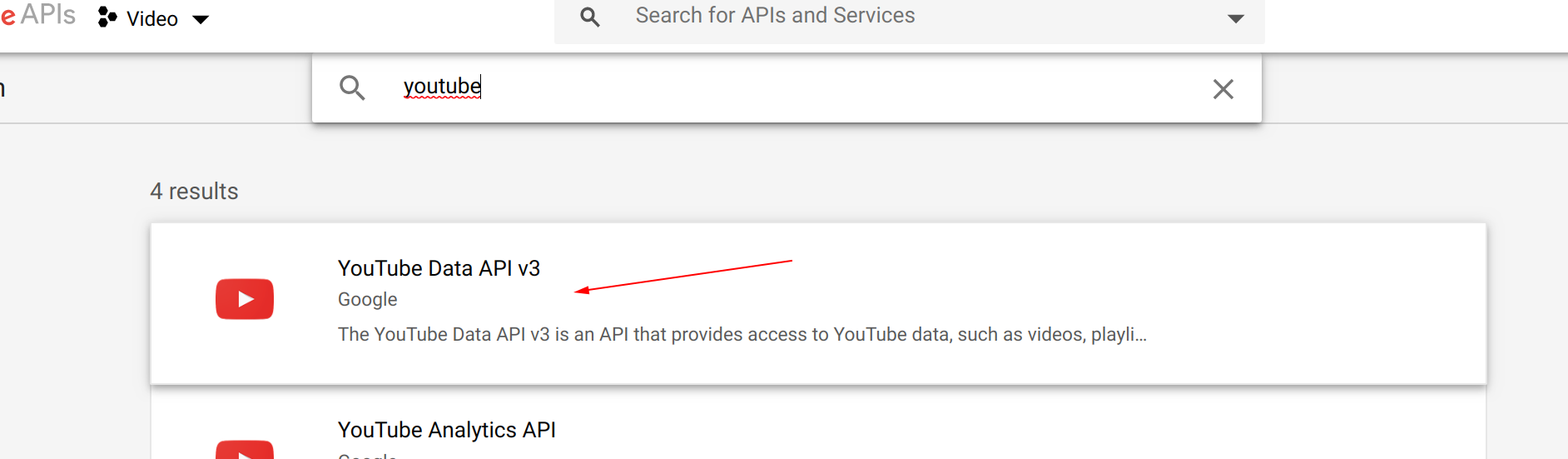 Open it and click “Enable”
4. After Set-up back to the main screen and set-up OAuth consent screen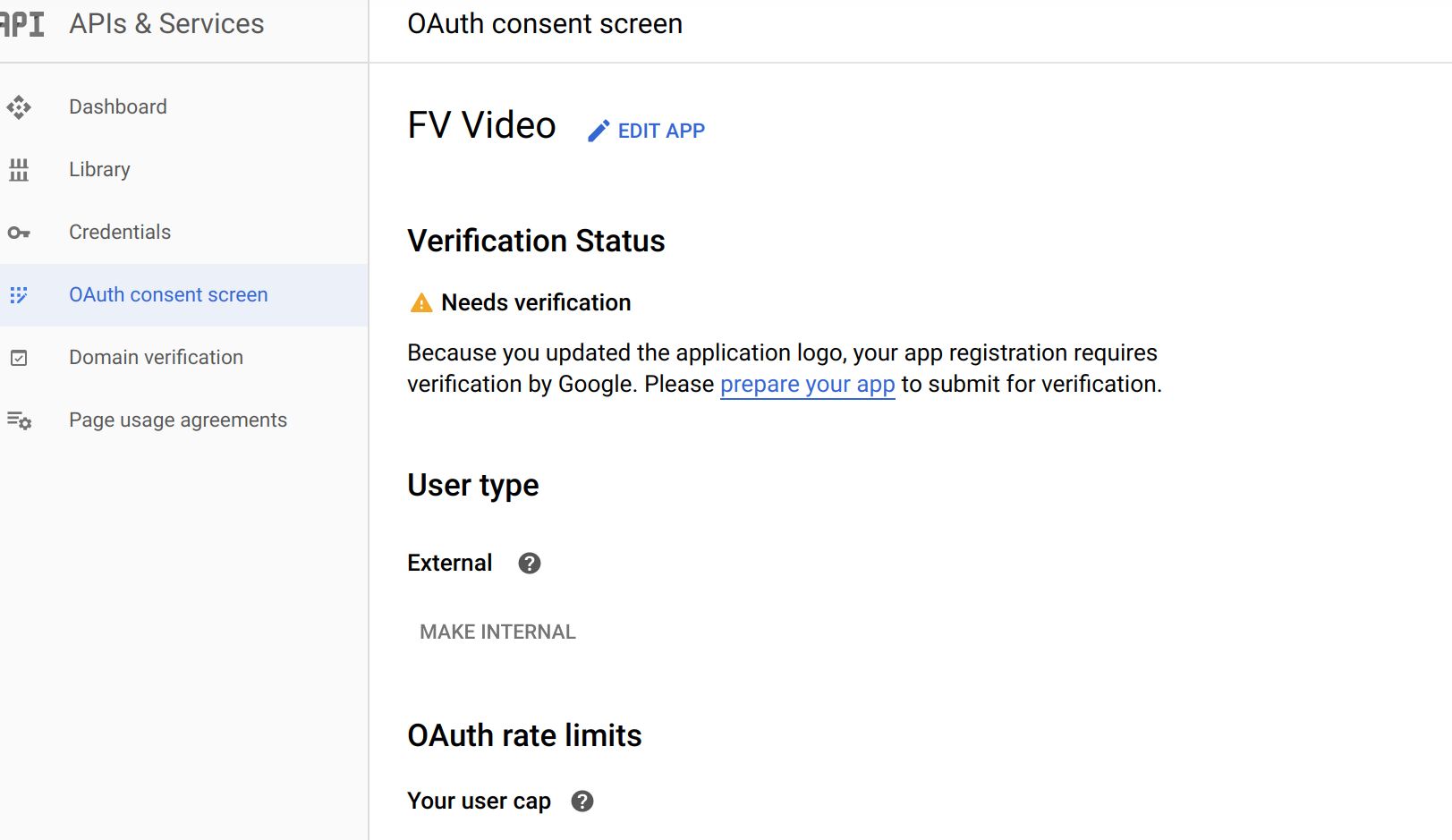
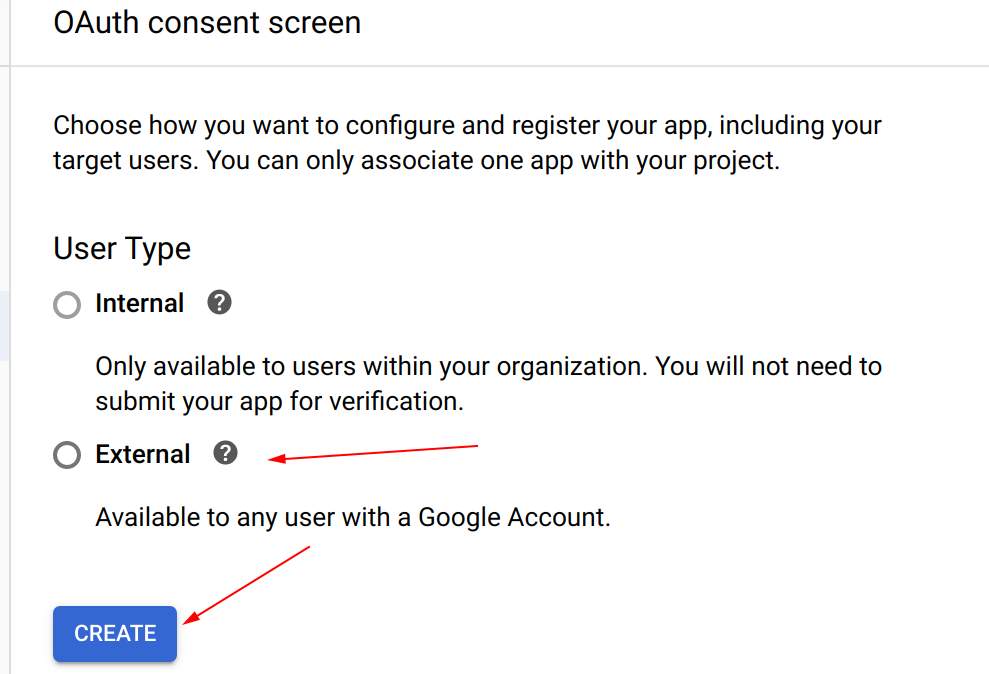
Fill your domain and other data
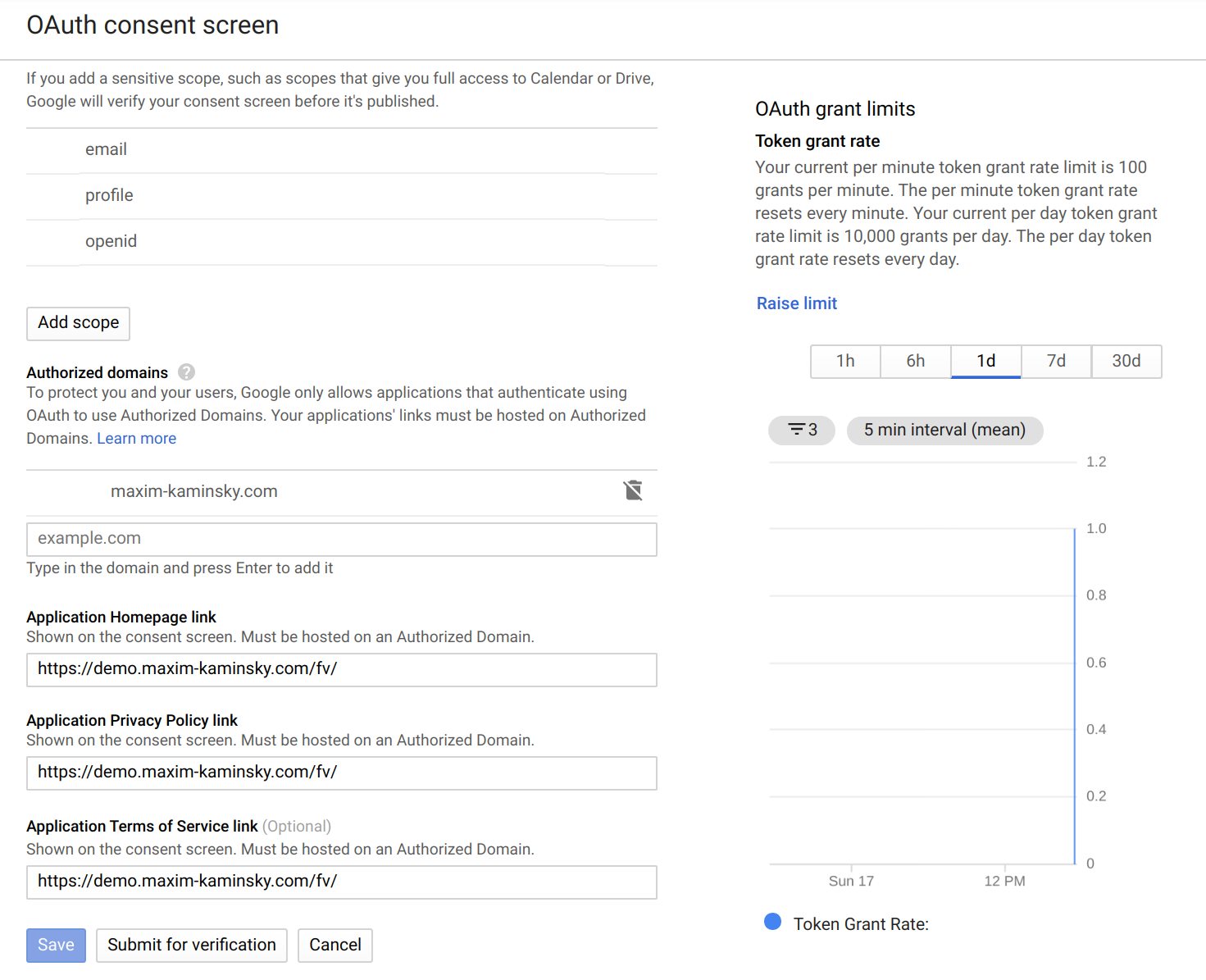 And save.
5. Generate the OAuth 2.0 Client ID
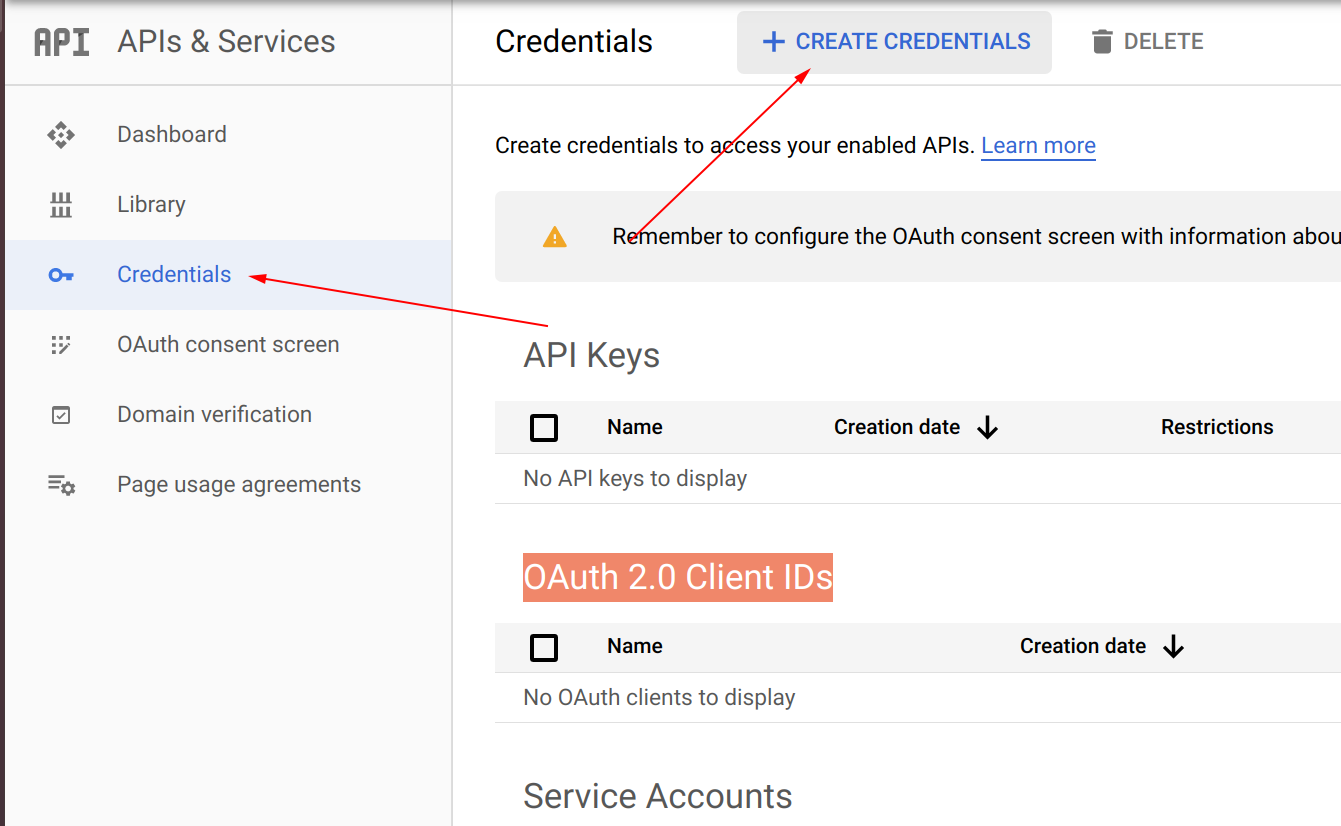
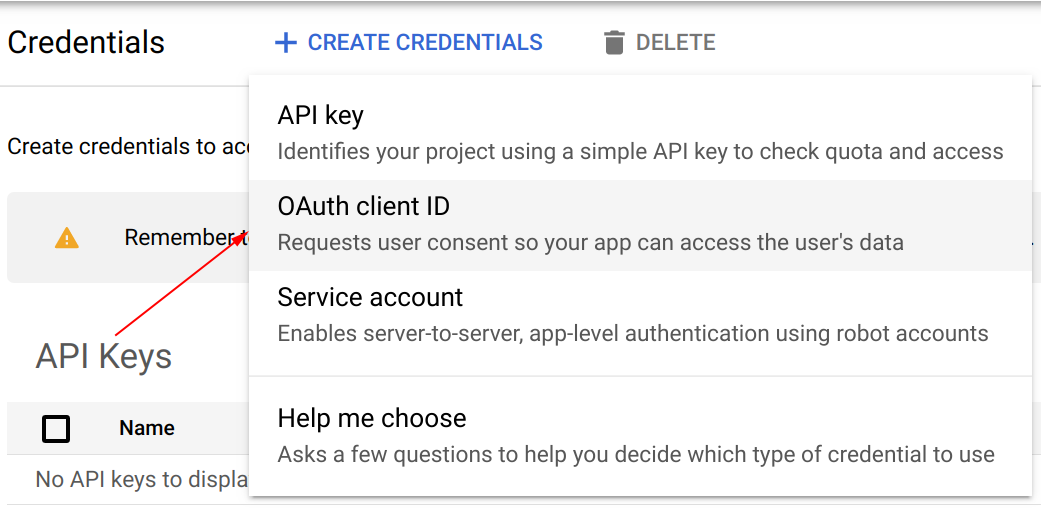
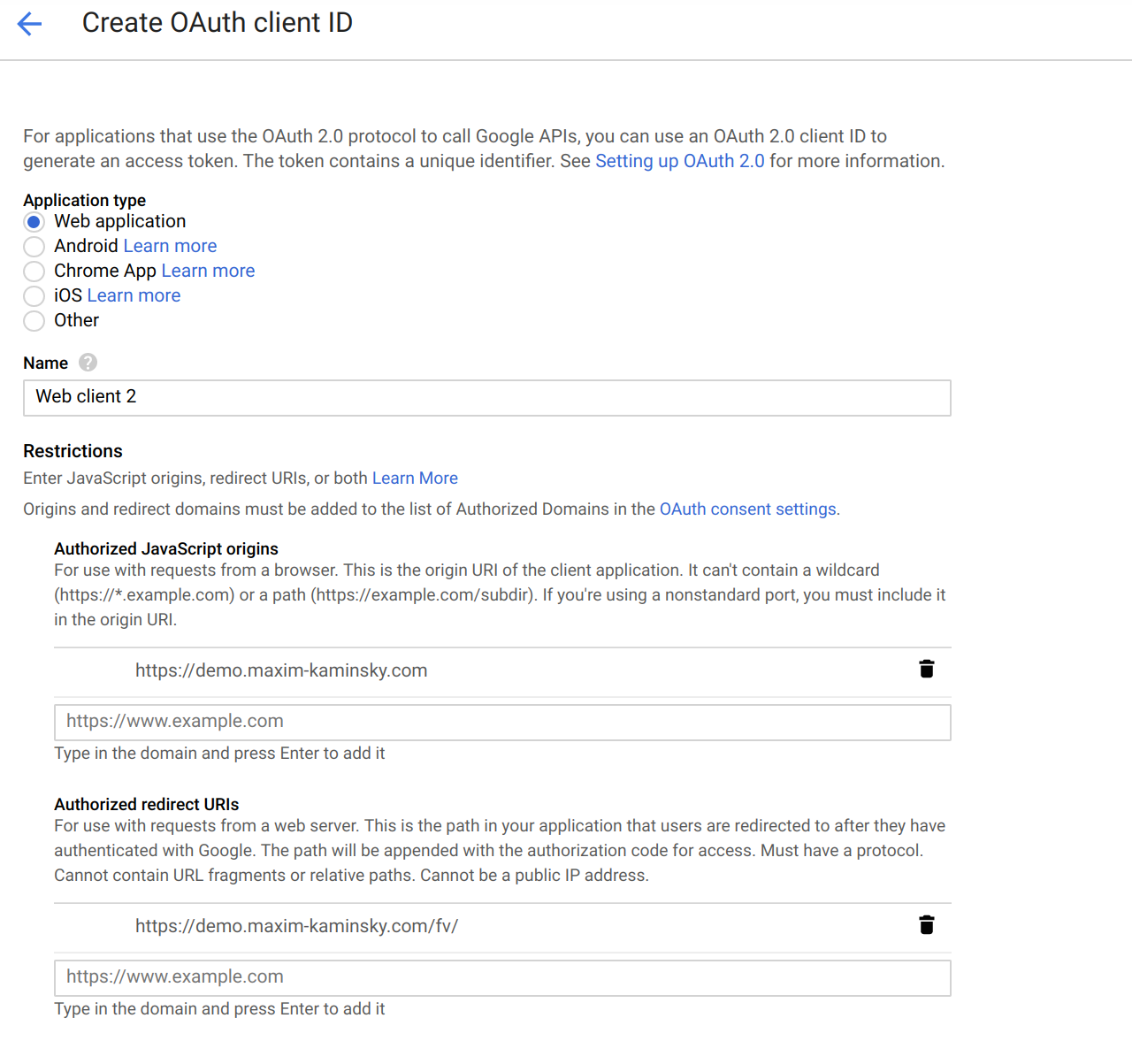 Copy the generated keys and put here
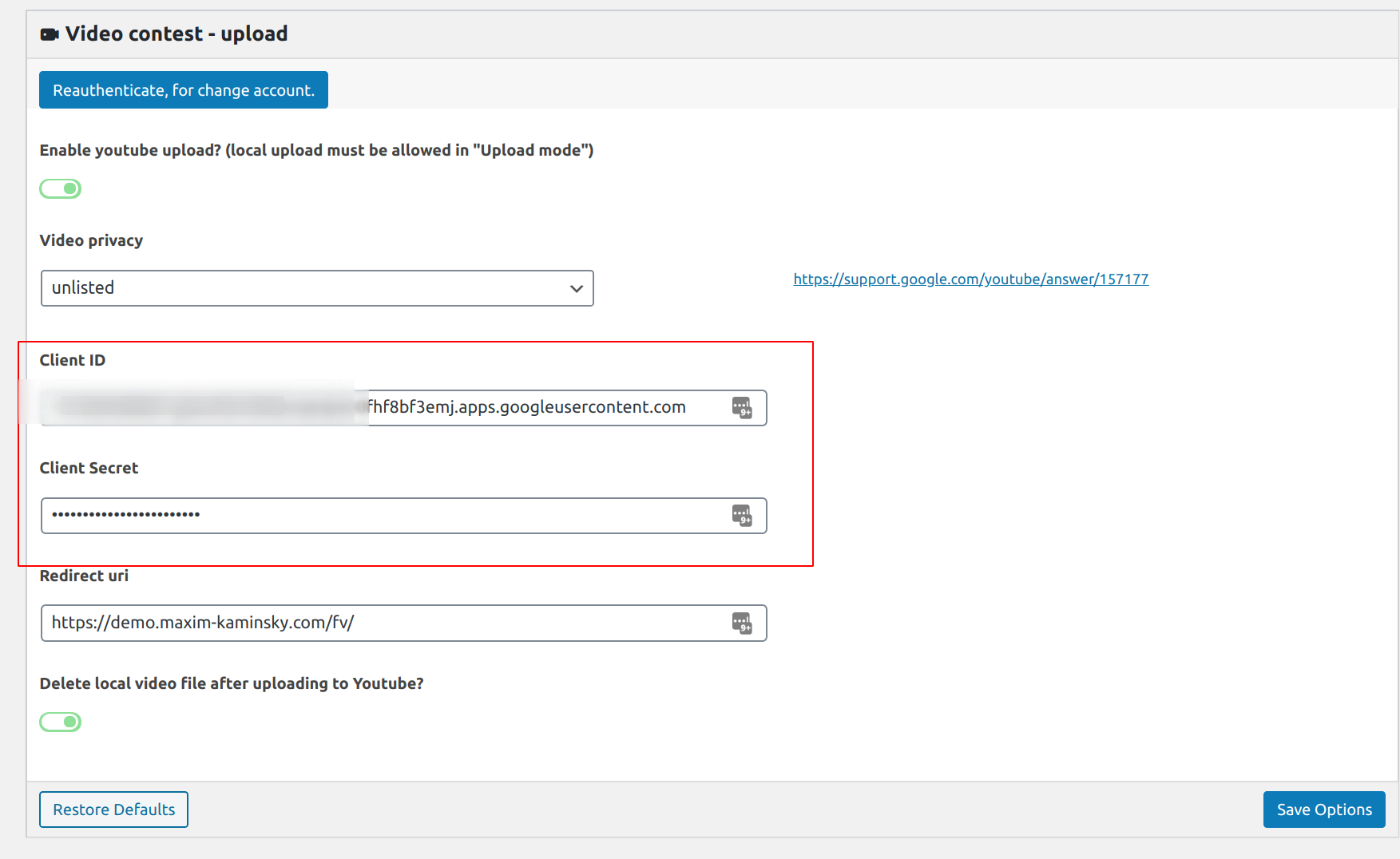 Then Save and click blue buttion “Please, authentificate”.
Click many times yes, yes, yes
Then allow your website access to your app:
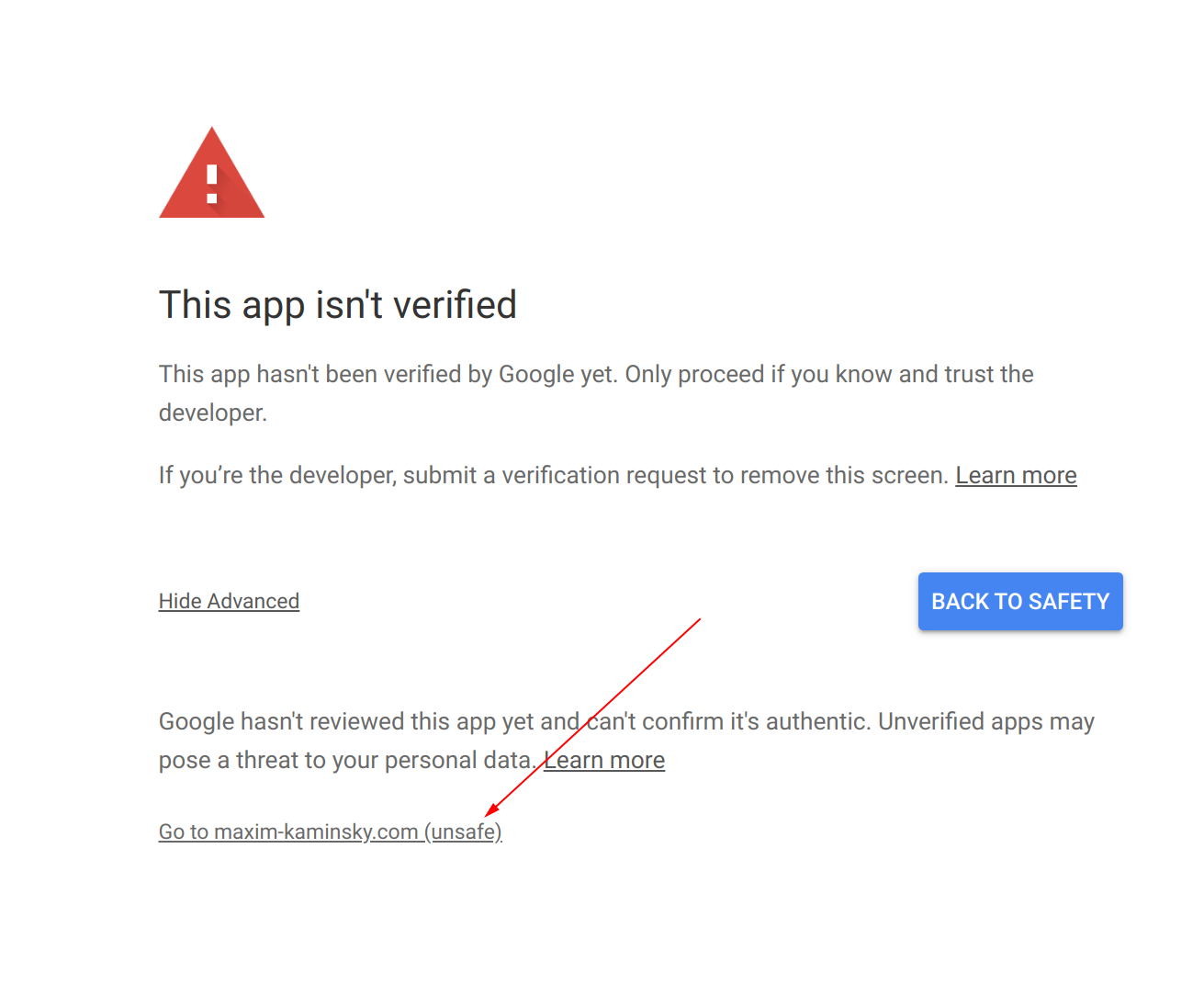
The best place to see/manage your videos is Youtube Studio: https://studio.youtube.com/
PS: duplicated videos uploaded for test can be declined by the youtube.


Leave A Comment?