Connection failed to the License Key API server. Try again later.
If you have the error “Connection failed to the License Key API server. Try again later.” while trying to activate the license try the following option:
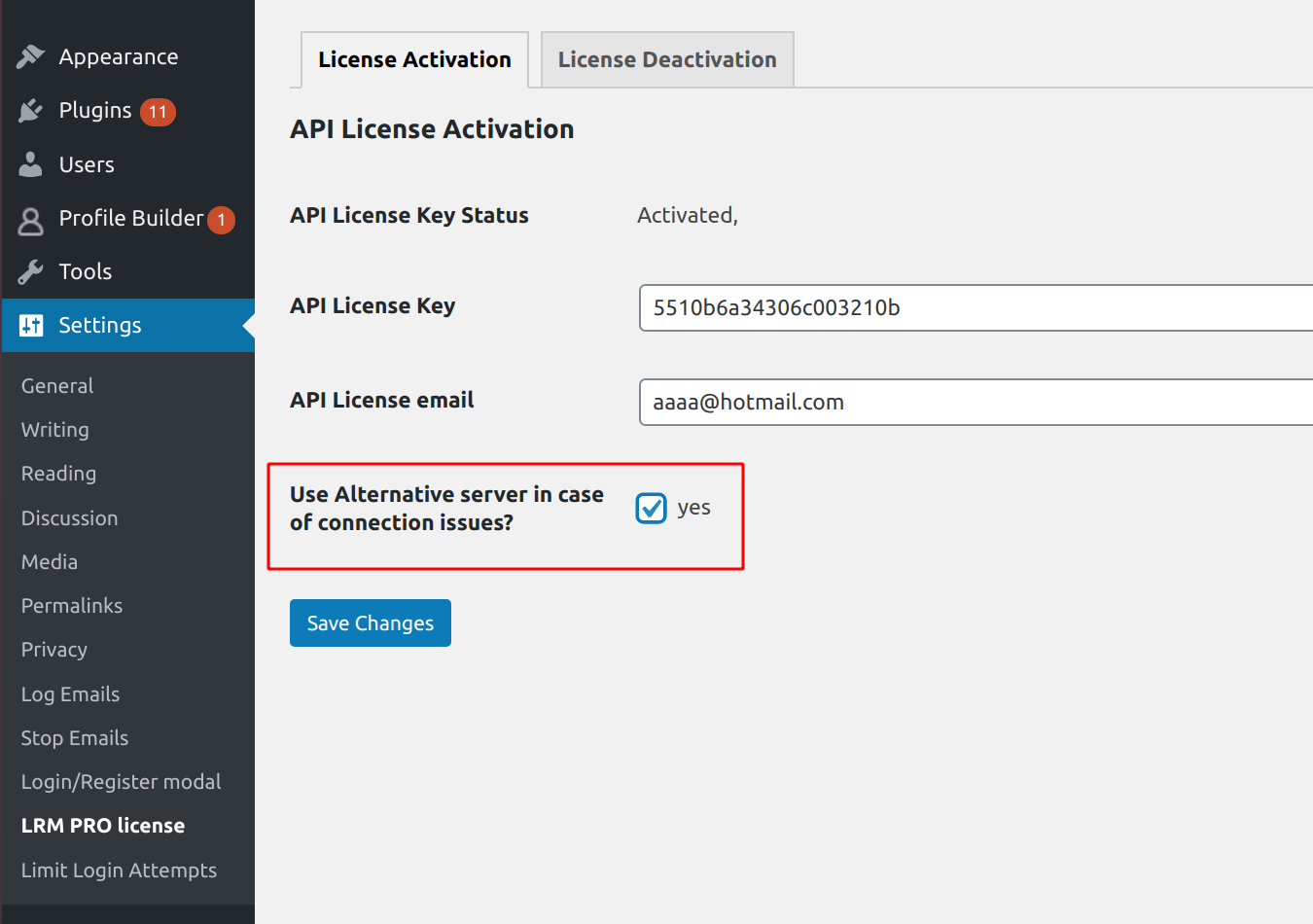
The old way before PRO version 2.02:
Add to your wp-config.php
define("LRM_API_URL", 'https://dev.maxim-kaminsky.com/mk-api/');
The problem is related to the API server spambots security and happens because your IP looks spammy.
Cannot activate API Key. The API Key has already been activated with the same unique instance ID sent with this request.
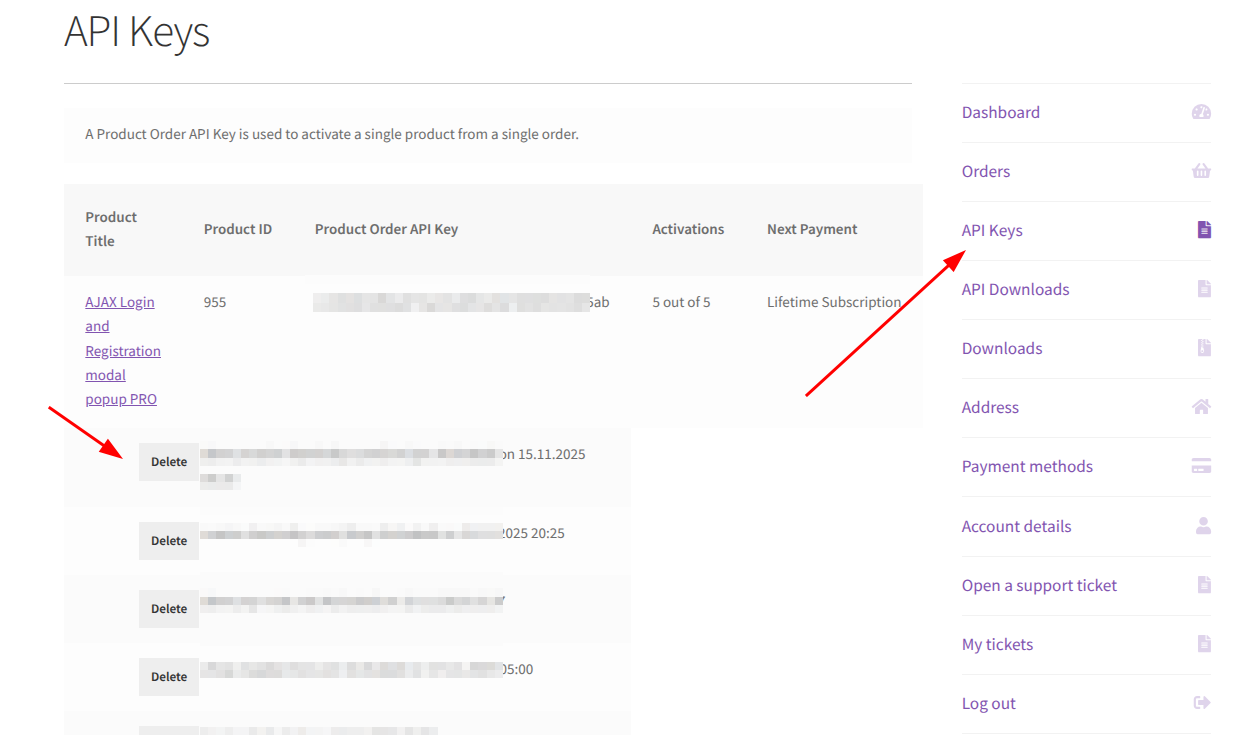
In this case, you have to log in to your account, go the API Keys tab and, find your website and delete the activation.
Then try to Activate again.
Leave A Comment?