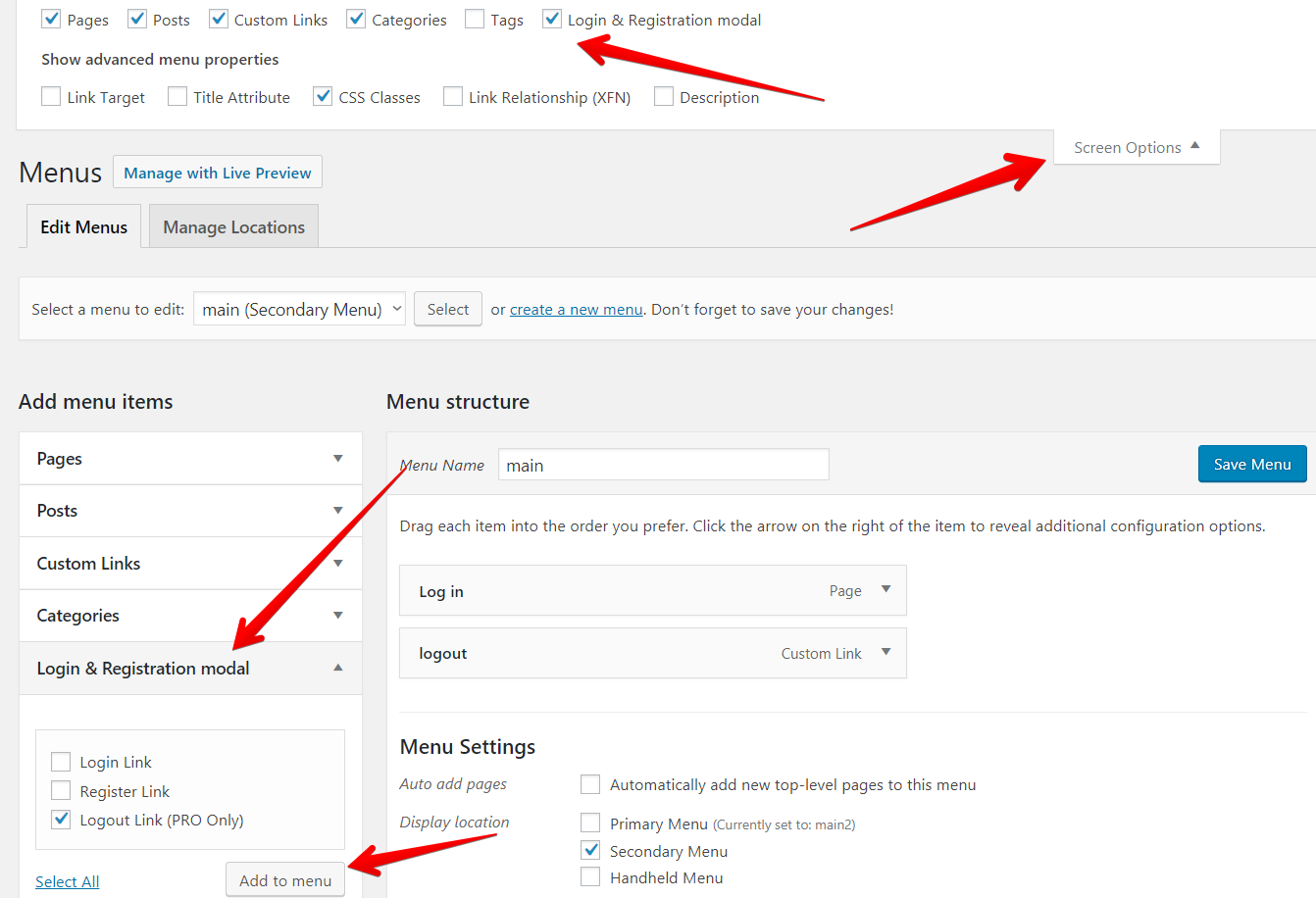
- Make sure that the “Login & Registration modal” section is visible, else display it
- Select the “Logout link” and click “Add to menu”
- Click “Save menu”
- Check your website while you are logged in
Create logout link manually
To create a logout link manually take a page where the user should be after the log-out add the parameter “lrm_logout=1”.
Example: https://site.com/?lrm_logout=1
Or link: <a href="https://site.com/?lrm_logout=1">Logout</a>dd
Leave A Comment?